
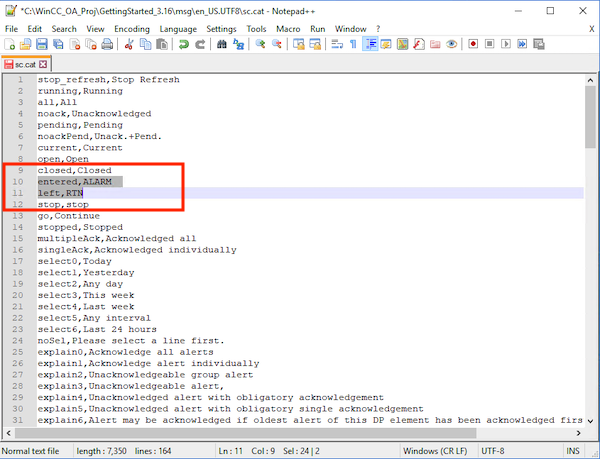
The texts for the alarm direction are defined in the WinCC OA message catalog sc.cat, the keywords are “entered” for the CAME-text and “left” for the WENT-text. If you would like to translate or change the texts which are shown in the AEScreen for the alert direction you have to perform the following steps:
Step 1
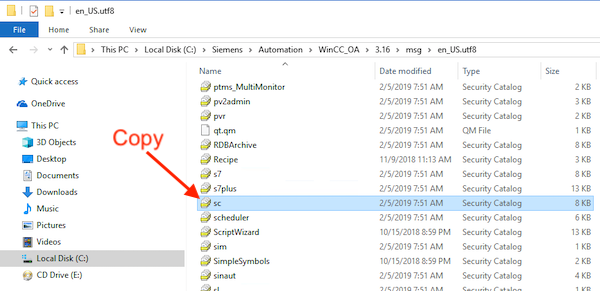
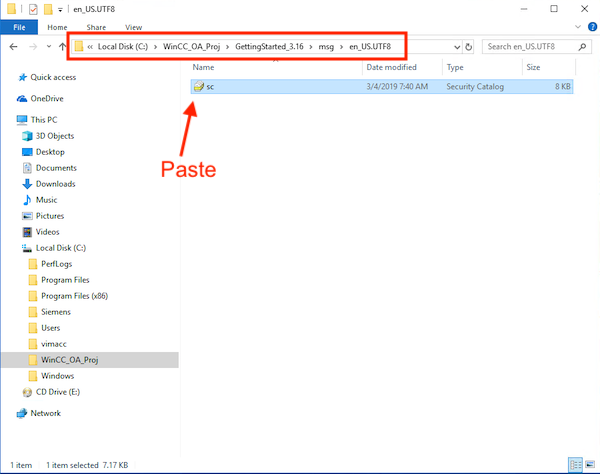
Copy the file sc.cat to the language-dependent msg-directory in your WinCC OA project. This file is available with the texts in German, English, and Russian languages. You can find the file here: C:\Siemens\Automation\WinCC_OA\<WinCCOA version>\msg\en_US.utf8
Step 2
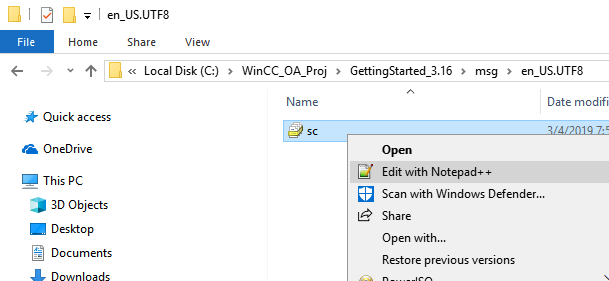
Open the file with a text editor.
Step 3
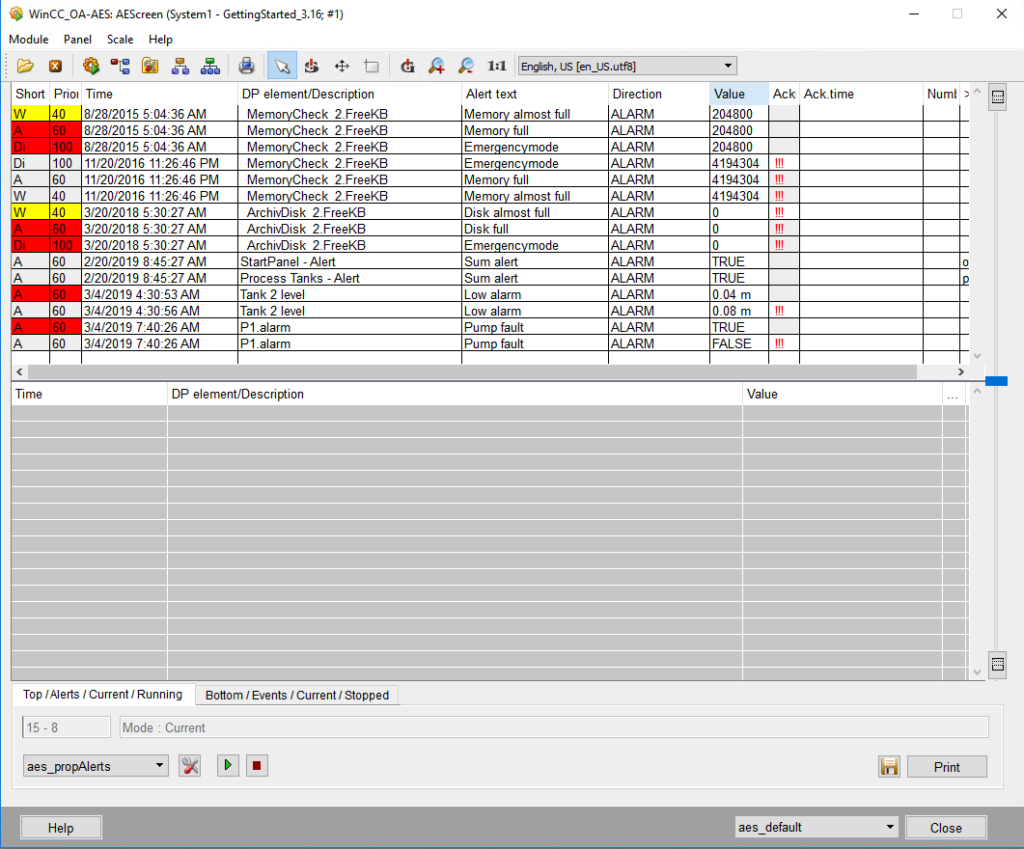
Change the text for the keywords “entered” and “left”. Verify the change by opening up your AEScreen GEDI\system management\Alarm and Event Screen.
Your point of view caught my eye and was very interesting. Thanks. I have a question for you.